Introduction
AI meeting tools summarize after the call.
Segment participates during it.
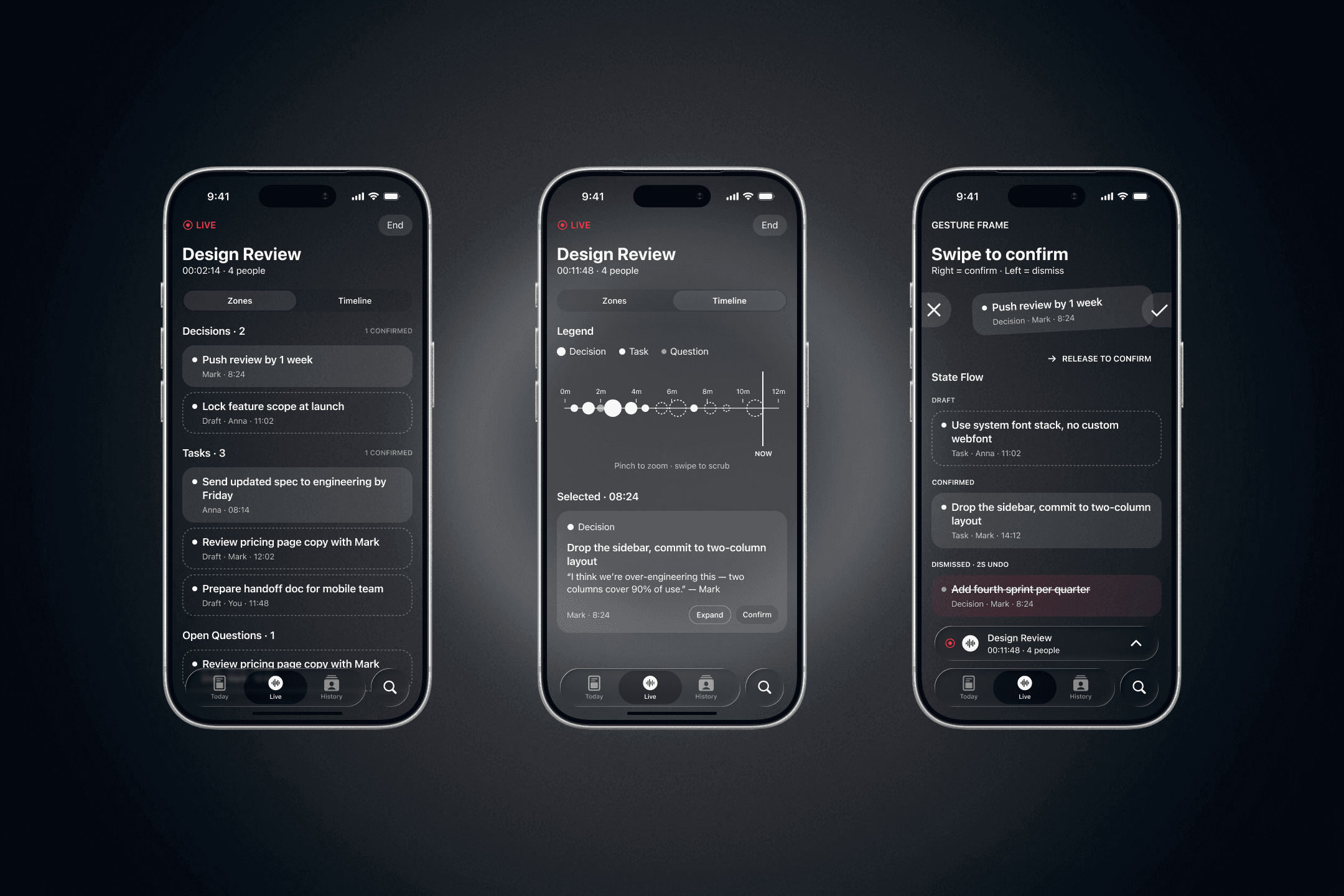
Self-initiated concept for a mobile companion to desktop meeting AI — glance-first interface, AI items captured as dots on a meeting timeline, swipe-to-confirm during the call. Built on proxy research of six competitors and user complaints from Reddit, App Store reviews, and product teardowns.
Role
Product & UI/UX Designer
Company
Personal project
Year
2025
Timeline
In progress · Phases 1–2 complete
Form factor
Mobile iOS · companion to desktop
Categories
AI Product
B2B SaaS
Validation targets
3 signature design decisions
//
Confirmation Rate — ≥40% during meeting
//
Glance recognition — under 2 seconds
//
Swipe recall — ≥80% vs tap ≥60%
//
Workflow reach — 85% of items in 24h
//
Validation plan, not a validation claim
//
Process
Process Seams — Where I Fixed the Flow
Challenges
Live panels require reading. Meetings don't allow it.
Fireflies Live Assist, Otter AI Chat, and Teams Facilitator all surface text during the call — transcripts, action lists, topic cards. Attention during a meeting is 95% on the conversation. Reading takes 5–10 seconds. Users either ignore the panel or get distracted by it.
"That means you need to have two separate windows open to be able to read the transcript and pay attention to the video call at the same time."
— Otter user review, 2026
Insight: Attention during meetings is measured in seconds, not minutes. A second-screen UI must be scannable in 1–2 seconds or it fails.
Action: Mobile companion designed glance-first. Dots, zones, color, and size replace text. Text appears only on tap-to-expand.
AI captures everything. User controls nothing in the moment.
Every post-meeting tool shares the same failure mode: AI recorded the wrong thing, missed the key decision, or misattributed a quote. Fixes happen after the call — when context is already lost and participants have dispersed.
"There are no interactive to-dos, tasks, or action items in your notes. For a tool aimed directly at business users, this feels like a major miss."
— Granola teardown, MeetingNotes.com 2026
Insight: Confirmation needs to happen during the meeting, while context is fresh. Twenty minutes later, the user cannot remember what they meant.
Action: Draft / Confirmed / Dismissed states for every AI item. Swipe right confirms, swipe left dismisses. User controls what reaches final output — in the moment, not after.
Captured items don't reach the workflow. They stay locked in the AI tool.
Granola locks items in its own ecosystem. Otter requires Zapier workarounds. Fireflies charges credits for exports. Action items live in Linear, Notion, Jira — if they don't reach those tools, they don't exist.
"It's almost like Granola wants to keep that info and data locked into their ecosystem rather than flowing into your actual workflow."
— Granola teardown, 2026
Insight: 80% of AI summaries get ignored because they live in the AI tool, not where the user actually works.
Action: Confirmed items auto-export to the user's workflow tool when the meeting ends. MVP: one integration (Linear) as proof of principle.
Tool
Otter
Fireflies
Granola
Teams Facilitator
Read.ai
Jamie
Segment
Live
Mobile
Glance
Agency
Pricing
Design decisions
Meta-timeline as the primary meeting view
Not a transcript, not a list — a horizontal timeline where AI-captured moments appear as dots. Dot size encodes importance: mention, task, decision. Color encodes confirmation state. Tap expands the item with surrounding context.
Rationale: List-first (Fireflies, Otter) requires reading. Category-first (Teams Facilitator) loses temporal context. Timeline-first gives both glance-speed and context — at higher design complexity, which is the moat.
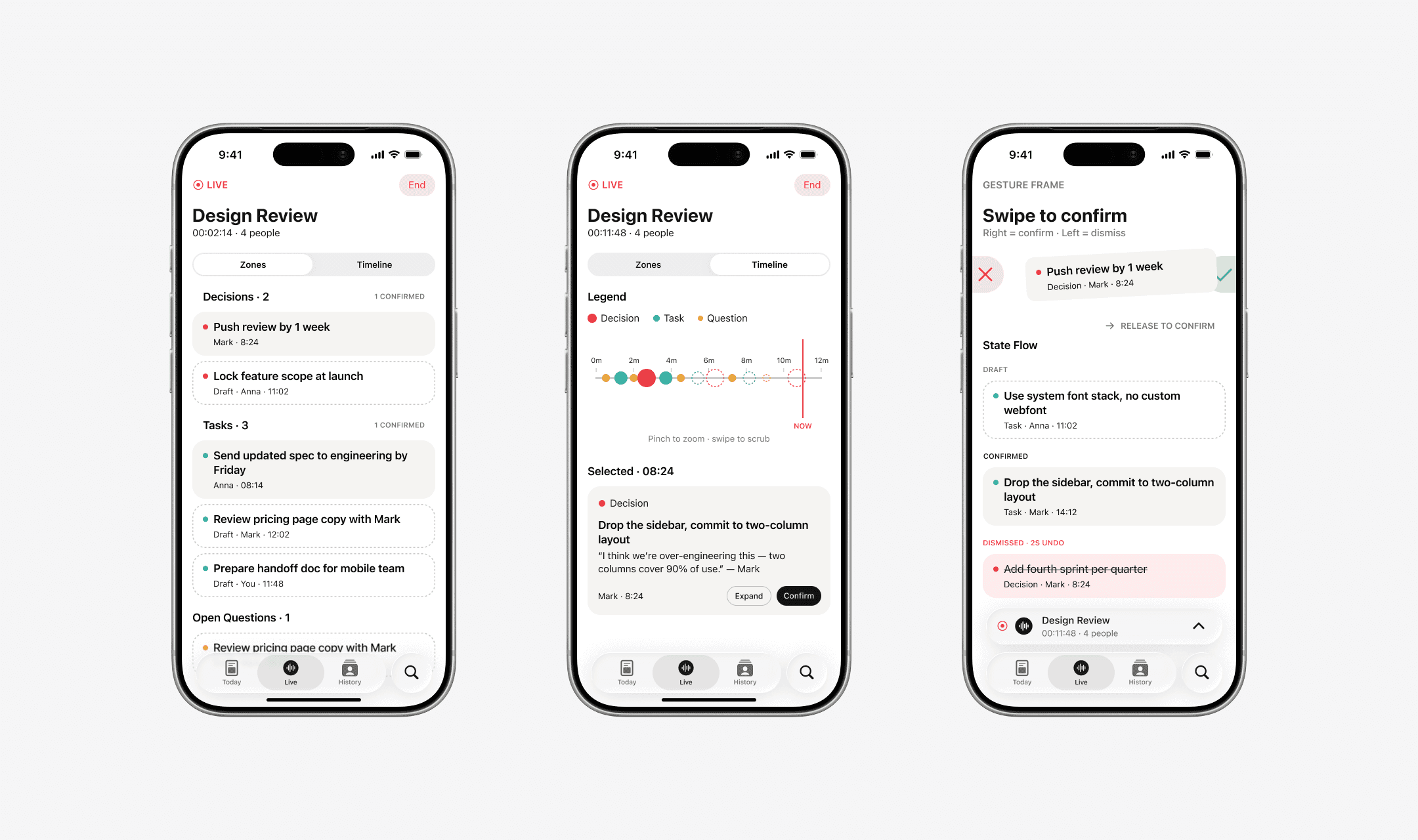
3-zone view · Signature timeline · Swipe to confirm
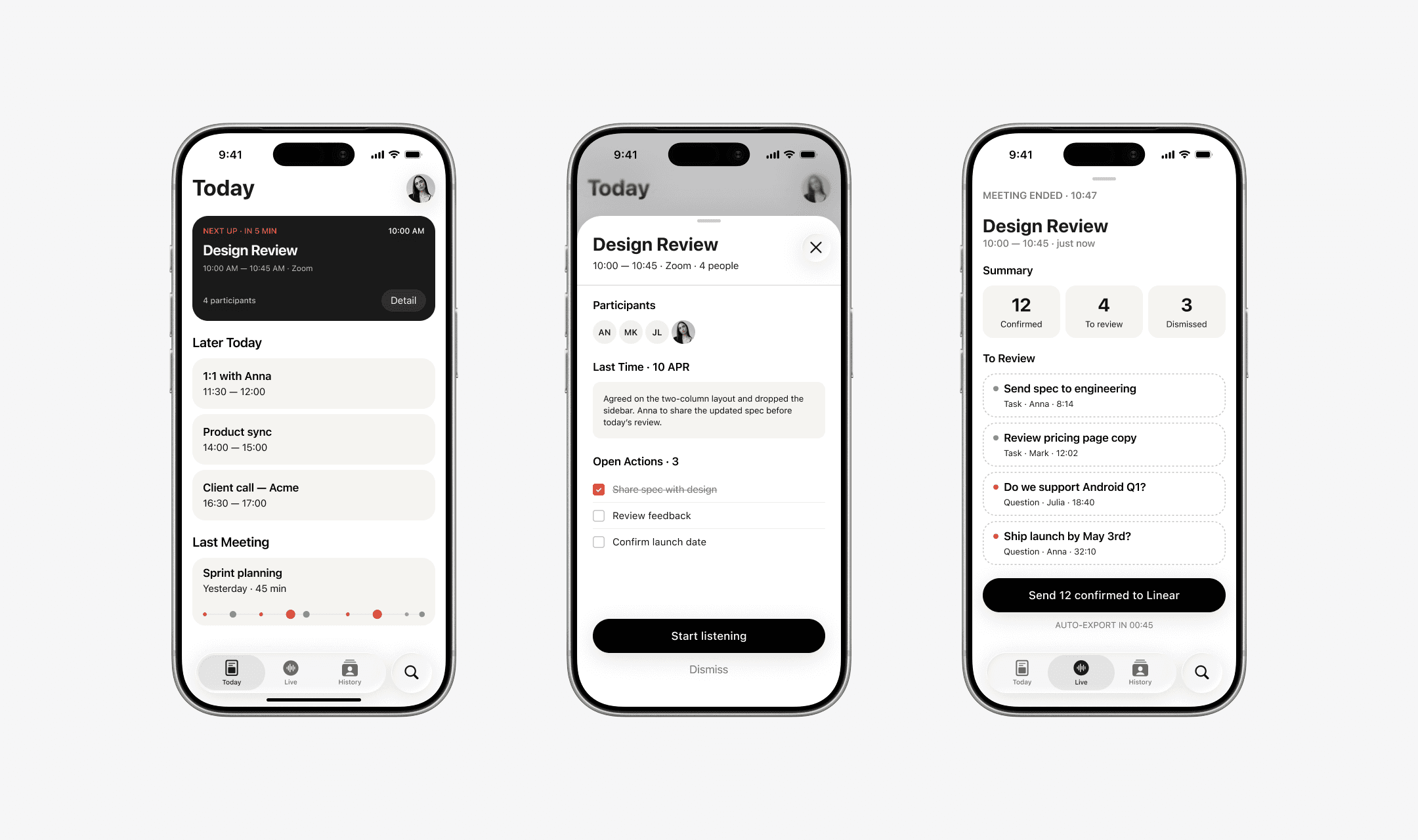
Home · Pre-meeting brief · Post-meeting review
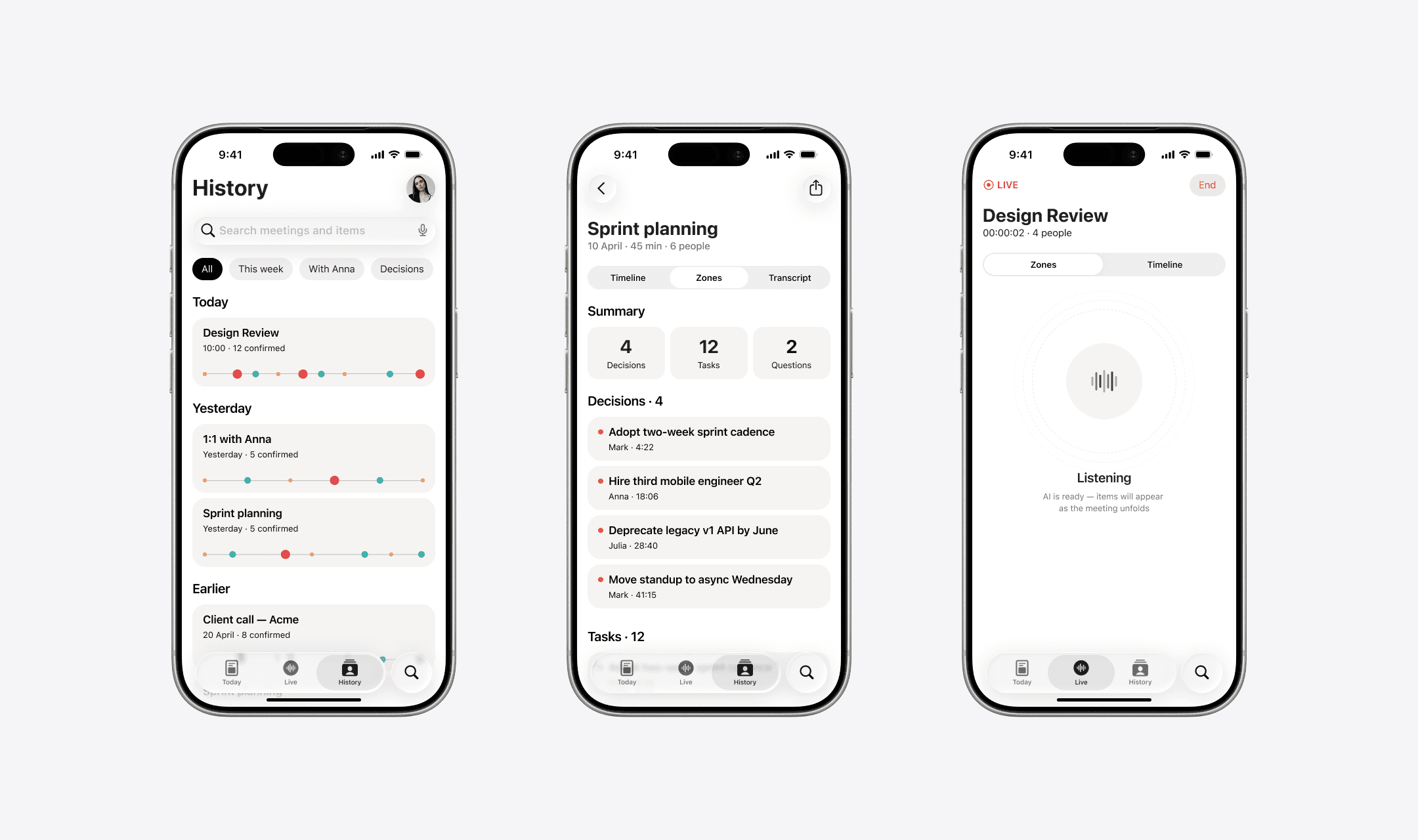
History archive · Meeting detail · Live listening
North Star & validation
Confirmation Rate during meeting ≥40%. If users don't confirm in the moment, Segment is just another post-meeting tool.
Three design decisions, three hypotheses, three ways to test. The framework is a validation plan, not a validation claim — senior product thinking starts with how a decision would be verified, and what threshold separates signal from noise.
Glance-first timeline Hypothesis
User recognises meeting state in under 2 seconds vs over 5 seconds for a text panel. Method — Moderated usability test, 5 users, stopwatch on state recognition. Threshold — Median glance-time <2s.
Draft / Confirm via swipe Hypothesis
Swipe gesture distracts less from the meeting than tap-to-modal. Method — A/B in prototype, measure recall of conversation content after a test meeting. Threshold — Gesture group ≥80% recall · tap group ≥60%.
Items reach workflow Hypothesis
Auto-export on meeting end beats manual export across tools. Method — Measure % of confirmed items that appear in Linear within 24h vs Fireflies and Otter baselines. Threshold — ≥85%.